Solo Practice vs Group Practice EHR: What Changes as Your Practice Grows

Solo Practice vs Group Practice EHR

Table of Contents

As your medical practice evolves from a single-provider setup to a multi-provider clinic, your operational complexity increases significantly. What once worked efficiently for one physician may no longer support the workflows, coordination, and scalability required for a growing team. One of the most critical systems affected by this growth is your Electronic Health Record (EHR).
Choosing the right EHR is not just about managing patient records – it’s about enabling growth, improving efficiency, and maintaining care quality at scale. In this guide, we’ll explore how EHR needs change as you scale from a solo practice to a multi-provider environment, and what features become essential to support your expansion.

Understanding EHR Needs in Solo Practices

Solo providers typically operate with simpler workflows, fewer administrative layers, and lower patient volume compared to group practices. At this stage, efficiency and ease of use are the top priorities. Physicians often manage documentation, scheduling, billing oversight, and patient communication themselves or with minimal support staff.

An ideal EHR for solo practices focuses on:

Since solo providers are balancing both clinical and operational responsibilities, the EHR must reduce administrative burden rather than add complexity. Time-saving features such as templates, automated documentation, and integrated billing help maximize productivity.
However, while simplicity is essential, scalability is often overlooked. Many solo providers choose EHR systems that meet current needs but lack the flexibility to support future growth.

Challenges Faced by Growing Practices

As your practice expands and additional providers join, operational complexity increases rapidly. Growth introduces new workflows, coordination needs, and administrative demands that a basic EHR may not be able to handle.
Common challenges include:
Without a scalable EHR system, practices often experience workflow bottlenecks, reduced efficiency, and increased administrative overhead. What once worked seamlessly for one provider may create friction in a team environment.
Growth requires systems that enable collaboration, automation, and visibility across the entire practice.

How Multi-Provider EHR Requirements Differ

Multi-provider practices require a fundamentally different level of functionality compared to solo practices. The focus shifts from individual efficiency to organizational coordination, scalability, and workflow optimization.

The following table illustrates the core differences between solo and multi-provider EHR needs:

Feature Category Solo Practice Needs Multi-Provider Practice Needs
User Access
Single user access
Role-based access for multiple providers and staff
Scheduling
Basic calendar management
Multi-provider scheduling with resource coordination
Documentation
Individual templates
Standardized templates across providers
Workflow Management
Simple workflows
Complex workflows with team coordination
Reporting
Limited reporting
Provider performance and operational analytics
Billing
Basic billing integration
Multi-provider billing, claim tracking, and revenue analysis
Communication
Minimal internal coordination
Secure internal messaging and collaboration
Scalability
Limited growth requirements
Built to support expanding teams and locations
These differences highlight the importance of choosing an EHR that can evolve alongside your practice.
Key-Features-Required-for-Scaling-Practices

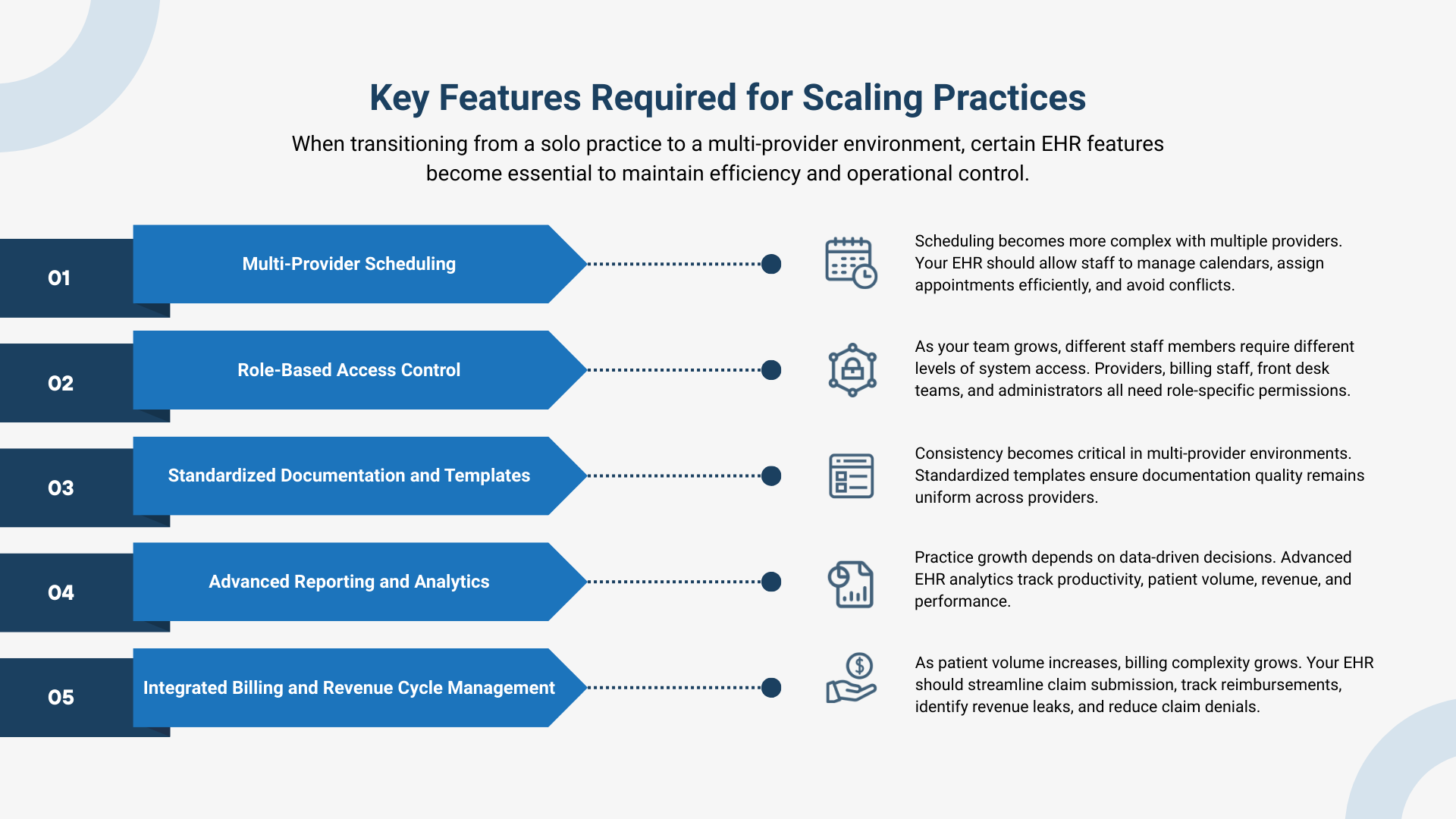
Key Features Required for Scaling Practices

When transitioning from a solo practice to a multi-provider environment, certain EHR features become essential to maintain efficiency and operational control.

Multi-Provider Scheduling

Scheduling becomes more complex with multiple providers. Your EHR should allow staff to manage calendars, assign appointments efficiently, and avoid conflicts. Resource allocation, such as exam rooms and equipment, must also be coordinated. This ensures optimal utilization of provider time and minimizes patient wait times.

Role-Based Access Control

As your team grows, different staff members require different levels of system access. Providers, billing staff, front desk teams, and administrators all need role-specific permissions. Role-based access improves security, protects patient data, and ensures staff can access only the information necessary for their responsibilities.

Standardized Documentation and Templates

Consistency becomes critical in multi-provider environments. Standardized templates ensure documentation quality remains uniform across providers. This improves patient care continuity and simplifies billing and compliance processes. It also makes onboarding any new provider faster and more efficient.

Advanced Reporting and Analytics

Practice growth depends on data-driven decisions. Advanced EHR analytics track productivity, patient volume, revenue, and performance. This visibility allows practices to identify inefficiencies and optimize operations.

Integrated Billing and Revenue Cycle Management

As patient volume increases, billing complexity grows. Your EHR should streamline claim submission, track reimbursements, identify revenue leaks, and reduce claim denials. Integrated billing ensures financial stability as your practice scales.

Workflow Differences: Solo vs Multi-Provider Practices

Growth fundamentally changes how workflows function within a medical practice. The following comparison illustrates how operational needs evolve as practices scale:
Workflow Area Solo Practice Workflow Multi-Provider Workflow
Patient Intake
Managed by a physician or a small staff
Managed by a dedicated administrative team
Documentation
Completed by a single provider
Multiple providers contributing to patient records
Care Coordination
Minimal coordination required
Requires collaboration across providers
Scheduling
Simple and centralized
Complex and multi-layered
Billing
Lower volume and simpler claims
Higher volume requiring automation and tracking
Communication
Direct and informal
Structured and system-based communication
Reporting
Limited operational analysis
Detailed performance and financial reporting
As practices grow, manual processes become inefficient. Automation and system-driven workflows become essential to maintain operational efficiency.

Why Scalability Should Be a Priority from Day One

One of the most common mistakes healthcare providers make is choosing an EHR that only meets their current needs. While this may seem cost-effective initially, it often creates long-term limitations.
When practices outgrow their EHR, switching systems becomes disruptive and expensive. Data migration, staff retraining, and workflow adjustments can interrupt operations and impact patient care.

Choosing a scalable EHR from the beginning eliminates these challenges and supports seamless growth.

Scalable EHR systems allow you to:
Investing in scalability early ensures your technology remains an asset, not a barrier.
How Cloud-Based EHR Supports Practice Growth

How Cloud-Based EHR Supports Practice Growth

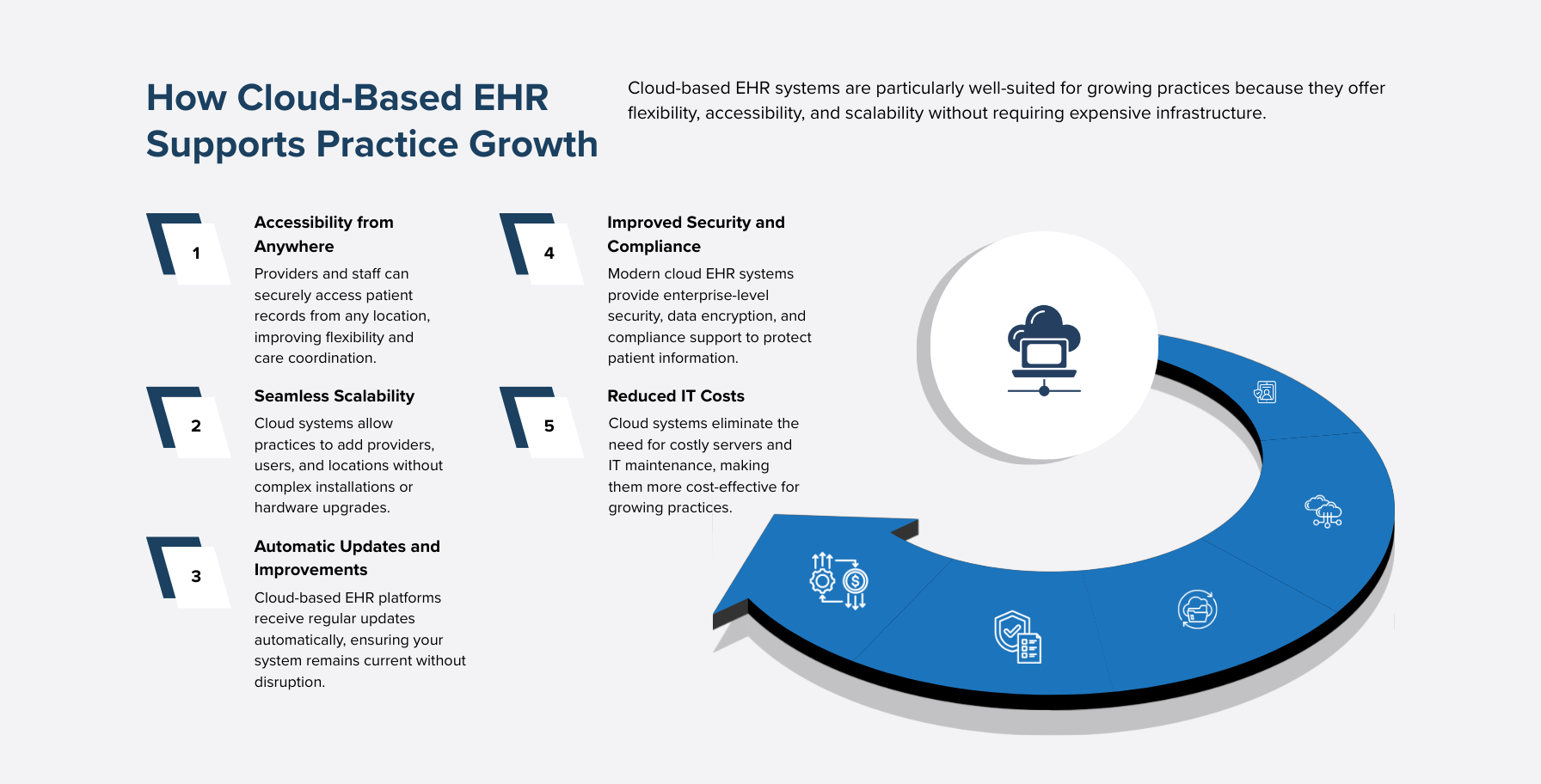
Cloud-based EHR systems are particularly well-suited for growing practices because they offer flexibility, accessibility, and scalability without requiring expensive infrastructure.

Key benefits include:

Accessibility from Anywhere

Providers and staff can securely access patient records from any location, improving flexibility and care coordination.

Seamless Scalability

Cloud systems allow practices to add providers, users, and locations without complex installations or hardware upgrades.

Automatic Updates

Cloud-based EHR platforms receive regular updates automatically, ensuring your system remains current without disruption.

Improved Security and Compliance

Modern cloud EHR systems provide enterprise-level security, data encryption, and compliance support to protect patient information.

Reduced IT Costs

Cloud systems eliminate the need for costly servers and IT maintenance, making them more cost-effective for growing practices.

Choosing an EHR That Grows with Your Practice

Selecting the right EHR is one of the most important decisions for your practice’s long-term success. Your EHR should not only meet your current needs but also support your future growth.

When evaluating EHR systems, consider the following:

The right EHR should simplify operations, improve efficiency, and support practice expansion without requiring major system changes.

This is where modern, scalable solutions like Maximus EHR provide a significant advantage. Designed specifically for solo providers, independent physicians, and growing group practices, Maximus EHR offers cloud-based scalability, integrated billing, advanced analytics, and workflow automation.

Whether you are starting as a solo provider or expanding into a multi-provider clinic, Maximus EHR grows with your practice – eliminating the need for costly system transitions in the future.

Conclusion

The transition from a solo practice to a multi-provider clinic introduces new operational challenges that require more advanced systems and workflows. An EHR that works for a single provider may not be sufficient to support growth, collaboration, and increased complexity.
Choosing a scalable, cloud-based EHR ensures your practice can expand efficiently without disruption. From multi-provider scheduling and role-based access to advanced reporting and integrated billing, scalable EHR systems provide the infrastructure needed to support long-term success.
Investing in the right EHR today ensures your practice remains efficient, competitive, and prepared for growth tomorrow.
Maximus EHR is built specifically to support practices at every stage. From solo providers to large, multi-provider clinics, helping healthcare organizations scale with confidence, improve efficiency, and deliver better patient care.

Grow Your Practice Without EHR Hassles

Maximus EHR scales with your practice—whether solo or multi-provider. Get cloud-based scheduling, billing, analytics, and workflow automation. Claim 3 months free today.

FAQs

When should a solo practice upgrade to a multi-provider EHR system?
A solo practice should consider upgrading its EHR system when adding additional providers, expanding to new locations, or experiencing increased patient volume. Signs that your current EHR may no longer be sufficient include scheduling conflicts, workflow inefficiencies, limited reporting capabilities, and difficulty managing billing at scale. A scalable cloud-based EHR like Maximus EHR allows practices to expand seamlessly without needing to switch systems later.
What features are essential in an EHR for multi-provider practices?
Multi-provider practices require features such as role-based access control, multi-provider scheduling, standardized documentation templates, integrated billing and revenue cycle management, and advanced reporting and analytics. These features ensure efficient coordination, improve productivity, and provide administrators with visibility into operational performance.
Can a solo practice use the same EHR system as a large group practice?
Yes, many modern cloud-based EHR systems are designed to support both solo providers and large group practices. The key is choosing a scalable EHR that allows you to start with basic functionality and expand features as your practice grows. Systems like Maximus EHR are designed to support practices at every stage, eliminating the need for costly system migrations.
Why is scalability important when choosing an EHR system?
Scalability ensures your EHR system can support your practice as it grows. Without a scalable EHR, expanding your practice may require switching systems, which can be costly, disruptive, and time-consuming. A scalable EHR allows you to add providers, manage higher patient volumes, and expand operations without compromising efficiency or workflow continuity.
What are the benefits of a cloud-based EHR for growing practices?
Cloud-based EHR systems provide flexibility, remote access, automatic updates, and easier scalability compared to traditional systems. They allow practices to add providers and locations without installing new hardware or infrastructure. Additionally, cloud-based solutions improve collaboration, enhance security, and reduce IT maintenance costs, making them ideal for growing medical practices.